> For the complete documentation index, see [llms.txt](https://docs.opencityitalia.it/llms.txt). Markdown versions of documentation pages are available by appending `.md` to page URLs; this page is available as [Markdown](https://docs.opencityitalia.it/connect/le-funzioni/impostazioni-della-piattaforma.md).
# Impostazioni della piattaforma
{% hint style="warning" %}
Le funzioni descritte in questa pagina sono disponibili solo per l'admin
{% endhint %}
Dalla sezione **Impostazioni**, l'admin può:
* Impostare la **IO Master Key** per sincronizzare automaticamente i servizi disponibili in OC Connect con quelli in App IO ([clicca qui](/connect/le-funzioni/i-servizi.md) per approfondire);
* Attivare, sospendere o simulare l'invio di messaggi verso i cittadini;
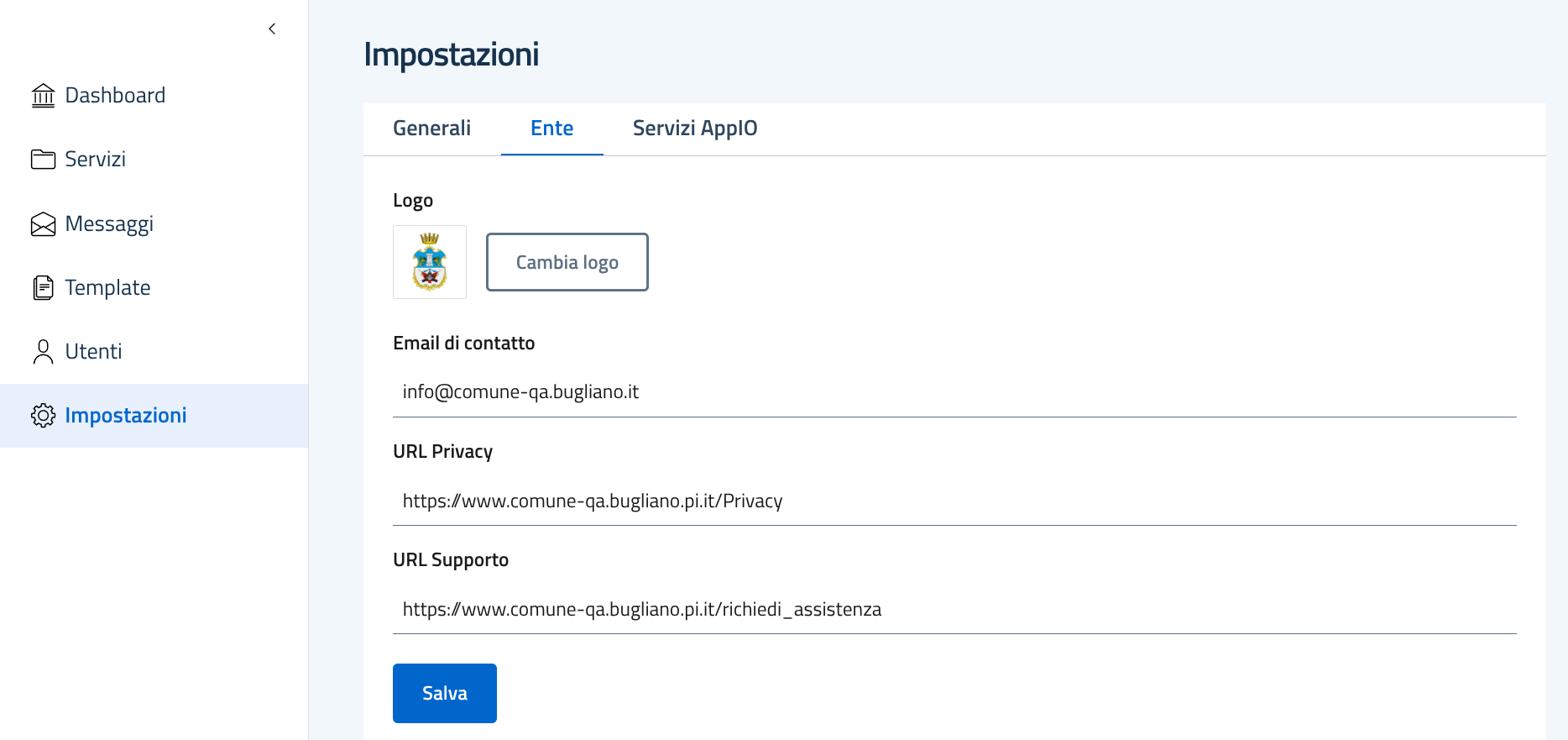
* Configurare la **grafica dell'email** caricando il logo dell'ente e impostando i contatti globali del footer (email di contatto, link alla privacy e link al supporto). Questi valori sono il riferimento di default per tutti i servizi: ogni servizio può sovrascriverli con contatti specifici dalla propria pagina > **Contatti per il servizio**.
{% hint style="info" %}
Se viene configurata la IO Master Key, queste informazioni vengono sovrascritte dalle informazioni inserite per ciascun servizio nel selfcare di PagoPA
{% endhint %}
* Visualizzare l'elenco dei servizi registrati su App IO con il relativo stato (approvato o cancellato); la lista è paginata e consultabile direttamente dalla sezione Impostazioni.
{% hint style="info" %}
La visualizzazione dei dati in questa tabella richiede che sia stata configurata la IO Master Key
{% endhint %}
---
# Agent Instructions
This documentation is published with GitBook. GitBook is the documentation platform designed so that both humans and AI agents can read, navigate, and reason over technical content effectively. Learn more at gitbook.com.
## Querying This Documentation
If you need additional information that is not directly available in this page, you can query the documentation by asking a question.
Perform an HTTP GET request on the following URL with the `ask` and `goal` query parameters:
```
GET https://docs.opencityitalia.it/connect/le-funzioni/impostazioni-della-piattaforma.md?ask=&goal=
```
`ask` is the immediate question: it should be specific, self-contained, and written in natural language.
`goal` is what the user is ultimately trying to achieve, the reason they need the answer. Sharing it helps GitBook give you a better, more relevant answer. A goal is most helpful when it describes the outcome the user wants rather than restating the question. For example, with `ask=how do I create an API token`, a goal like `automate deployments from our CI pipeline` lets GitBook tailor the answer to that use case.
The response will contain a direct answer to the question and relevant excerpts and sources from the documentation.
Use this mechanism when the answer is not explicitly present in the current page, you need clarification or additional context, or you want to retrieve related documentation sections.